Postman is a platform that lets you create, organize, and reuse HTTP requests. You can import the Meilisearch OpenAPI specification directly into Postman to get a complete, up-to-date collection of all API routes. If you don’t have Postman already, you can download it here. It’s free and available on many OS distributions.

Prerequisites

Download the Meilisearch OpenAPI specification file from the Meilisearch GitHub repository. Save it somewhere on your computer.

Import the OpenAPI specification

Click the three-dot menu () at the top of the sidebar, then select Import.
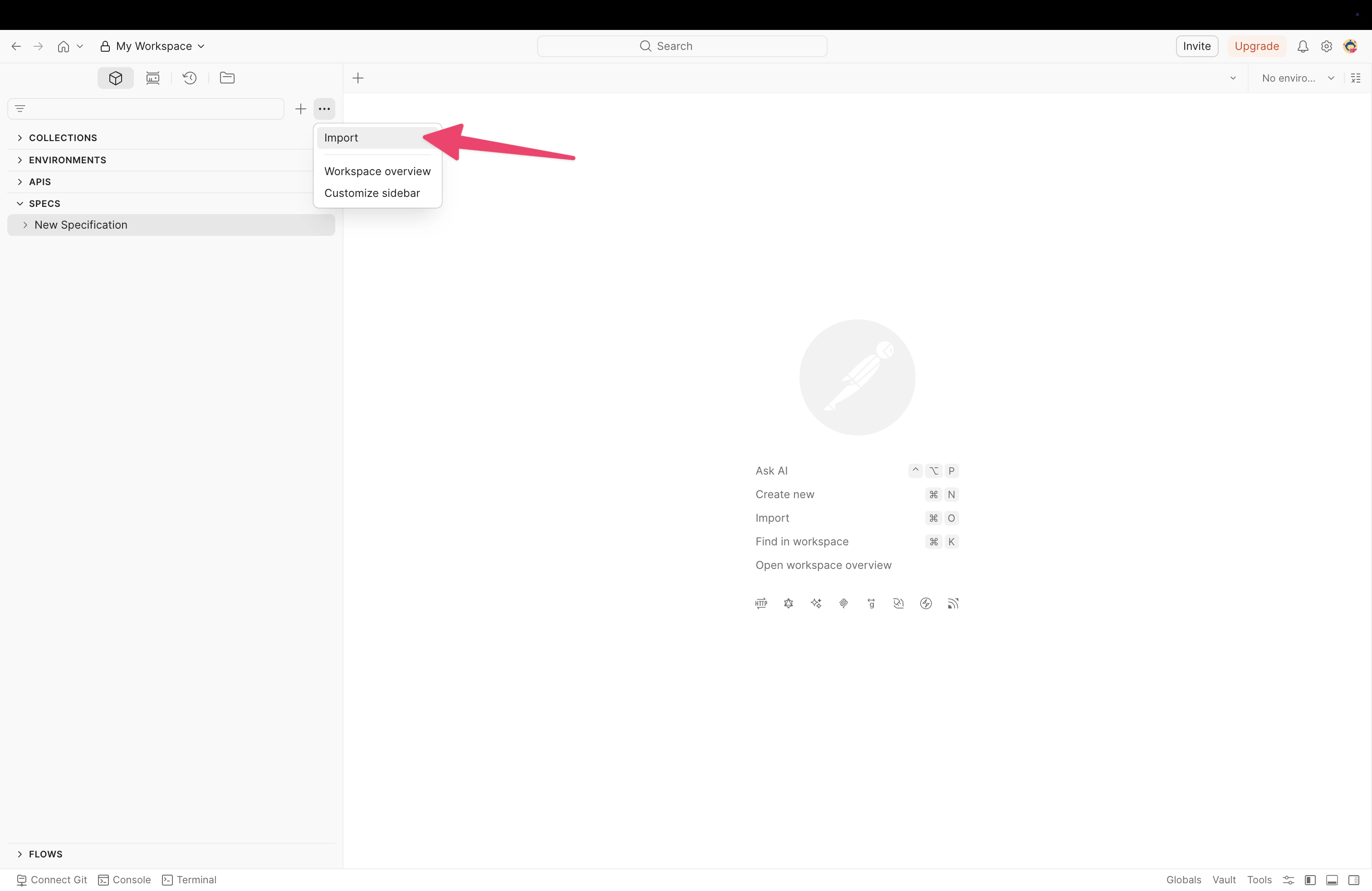
The three-dot menu in the Postman sidebar with the 'Import' option highlighted
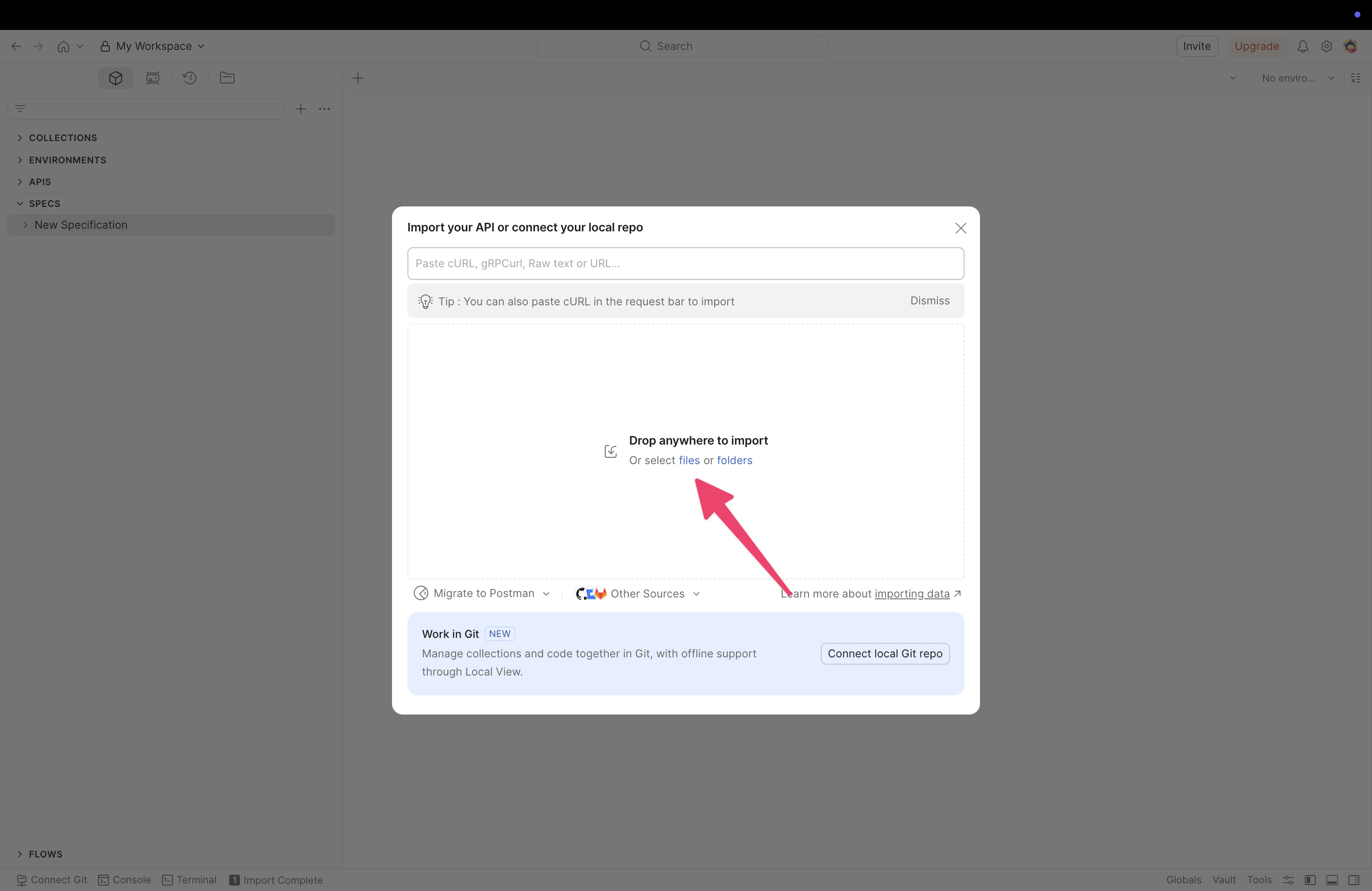
In the import dialog, drag and drop the OpenAPI specification file or click files to select it from your computer.
The Postman import dialog with a drop zone for files
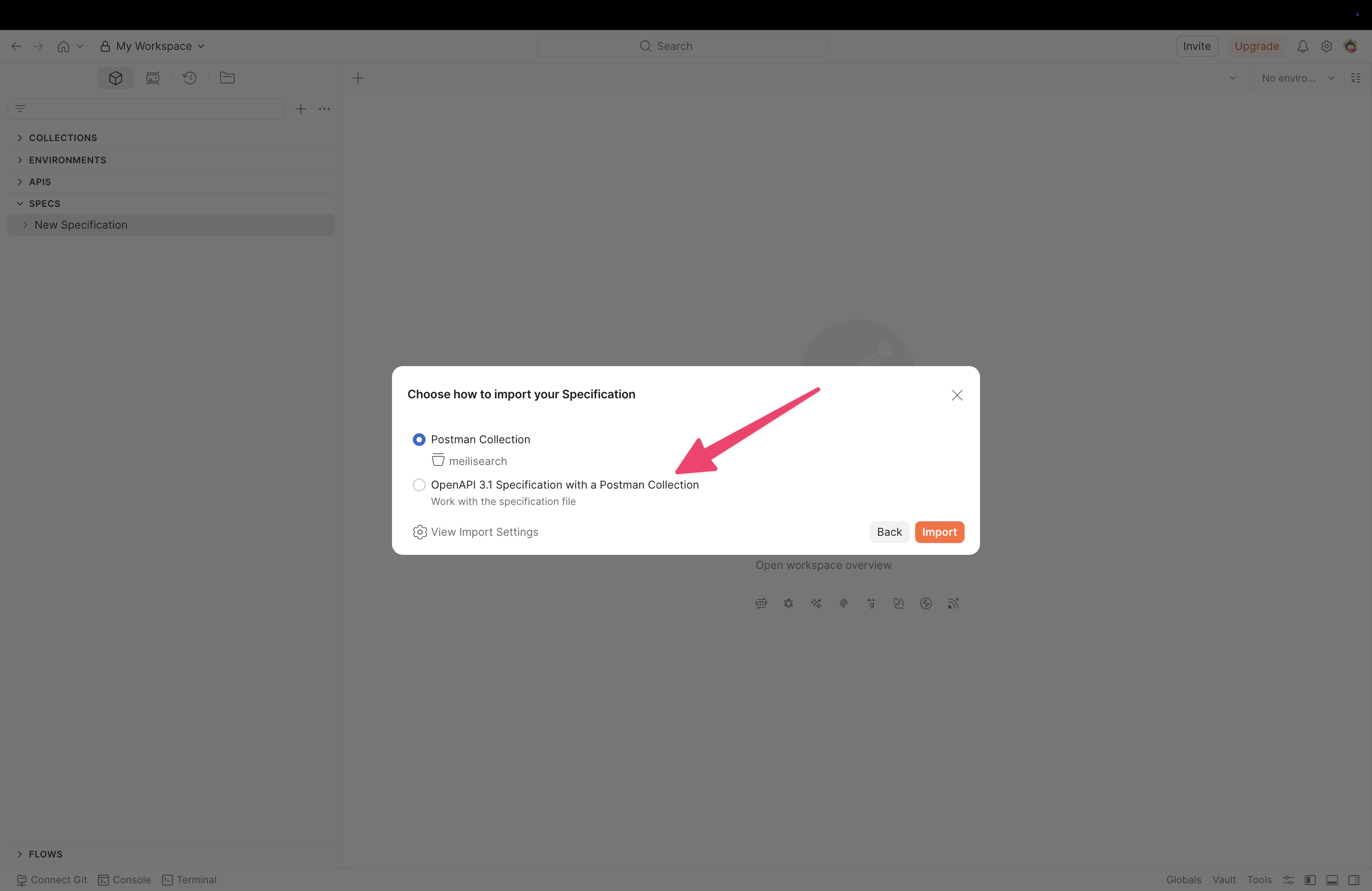
Postman detects the file format and asks how to import it. Select Postman Collection to create a collection with all Meilisearch API routes, then click Import.
The import specification dialog with 'Postman Collection' selected
You can also select OpenAPI 3.1 Specification with a Postman Collection if you want to keep the raw specification alongside the collection.
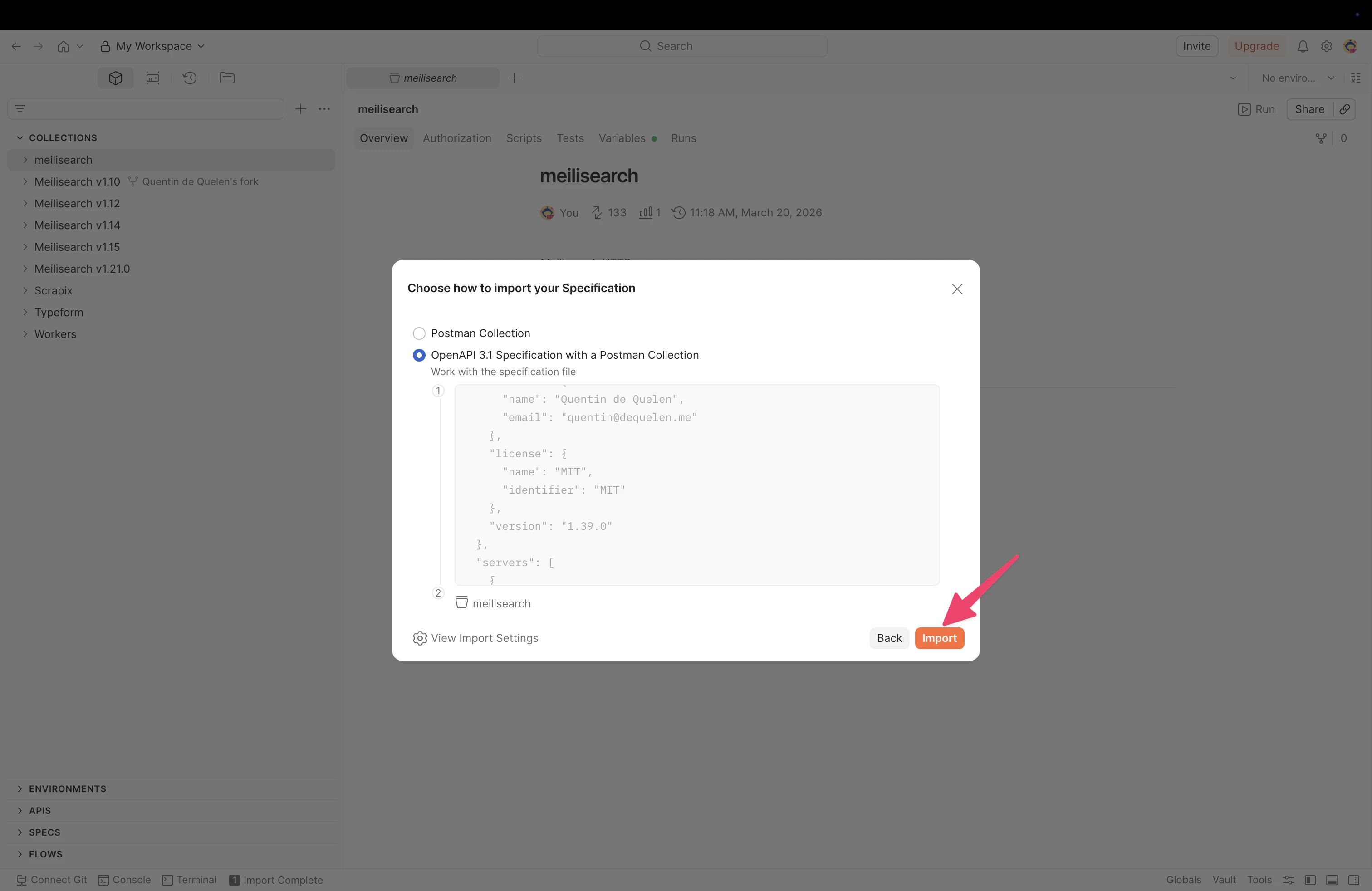
The import specification dialog with 'OpenAPI 3.1 Specification with a Postman Collection' selected

Configure authentication

After importing, you need to configure your API key so Postman can authenticate requests to your Meilisearch instance. Individual requests use Bearer Token authentication. You can verify this by selecting any request and checking the Authorization tab. The token field references {{bearerToken}}, which Postman resolves from your global variables.
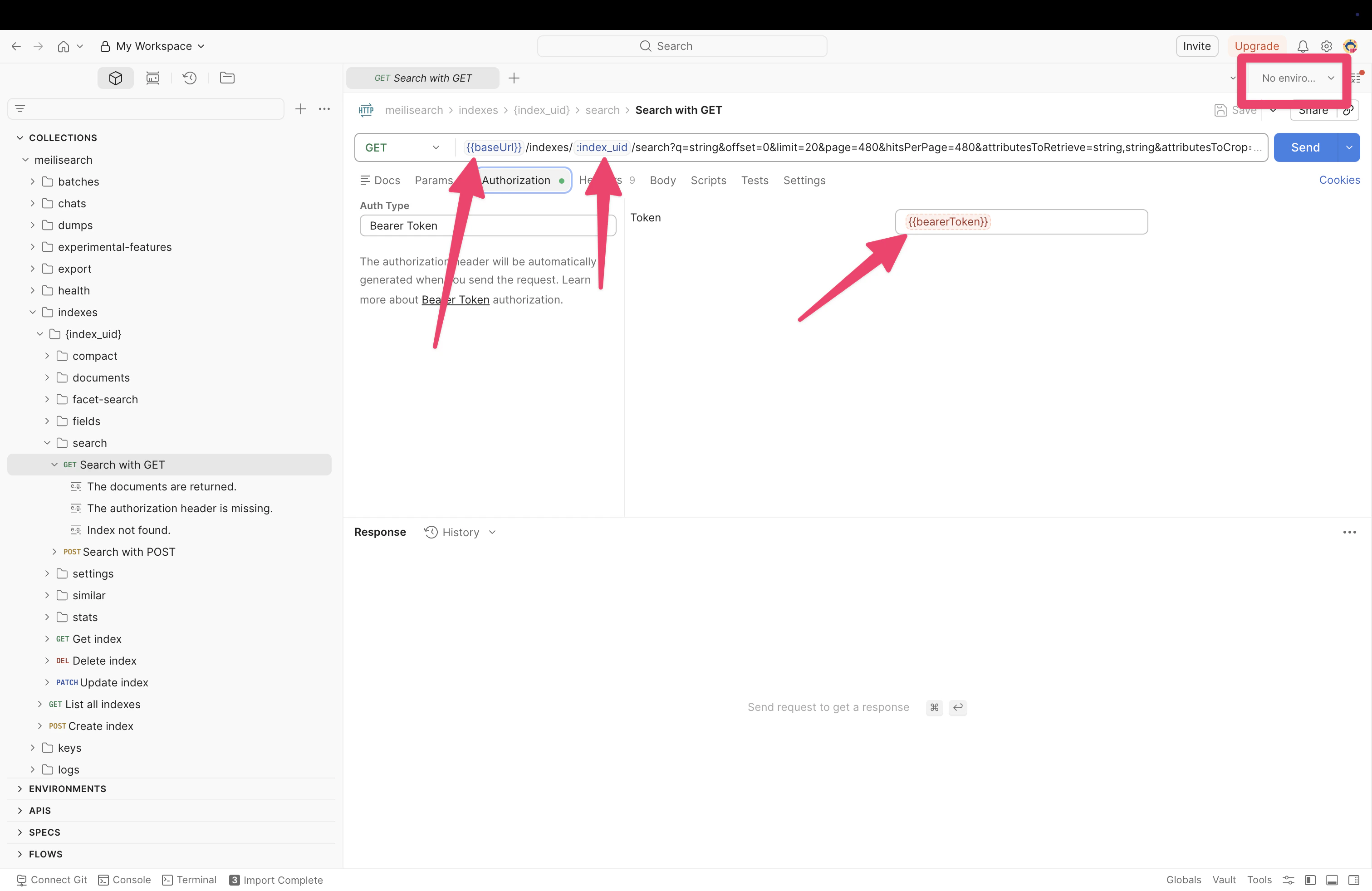
The Postman collection showing all Meilisearch API routes with the Authorization tab open and Bearer Token configured

Start using the collection

You can now select any route from the sidebar, adjust parameters as needed, and click Send to make requests to your Meilisearch instance.